TV Aerial Guide UK: Indoor Aerials, Signal Tips & Streaming
Learn how a TV aerial works, when an indoor aerial may help, how to troubleshoot weak Freeview reception, and how aerial TV compares with internet streaming.
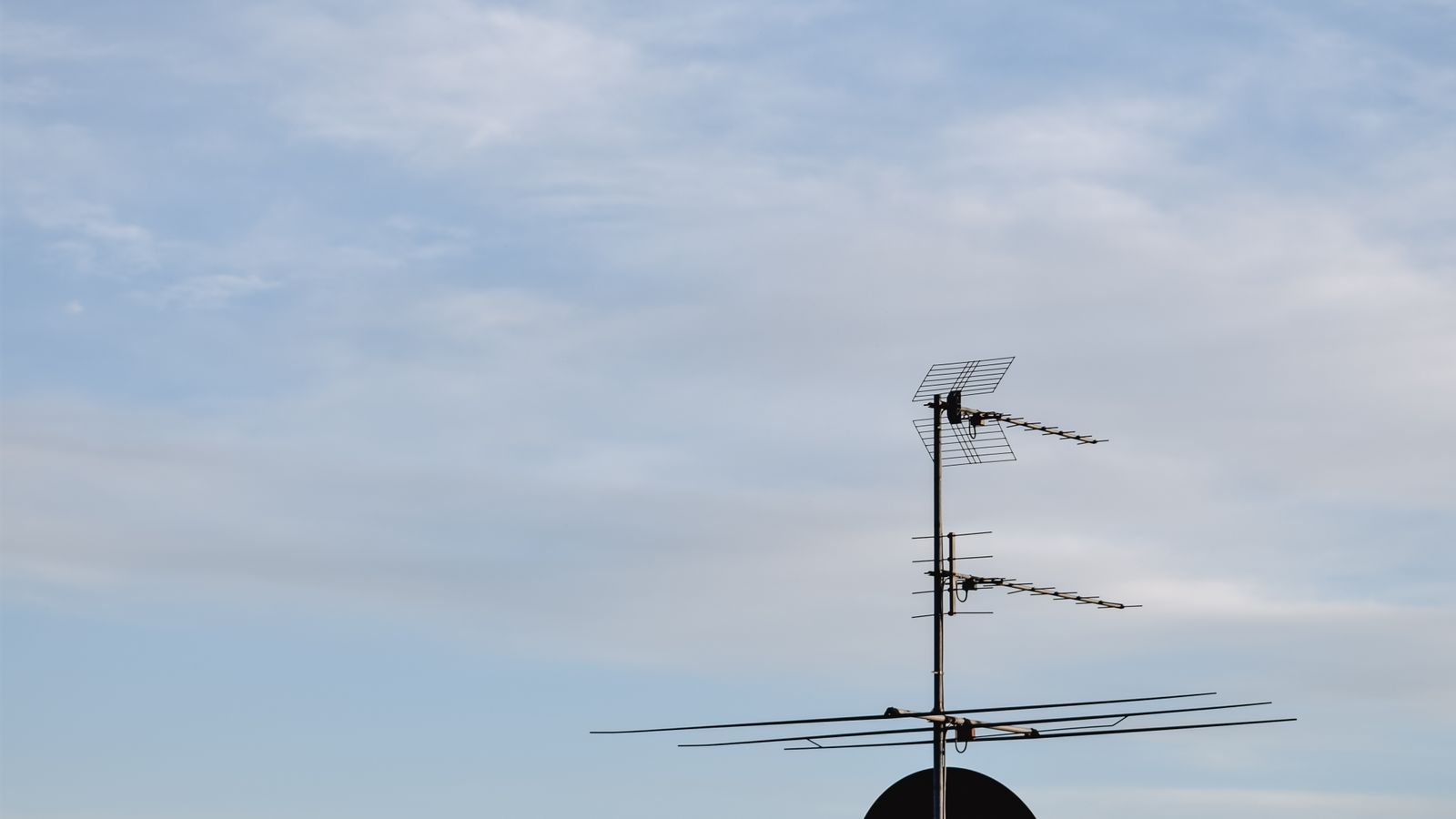
This guide explains general reception and streaming choices. Check local coverage and equipment requirements before buying an aerial or paying for a service.
If you are comparing a TV aerial with watching television over the internet, start with how you actually watch. British IPTV advertises plans at £13 for one month, £28 for three months, £36 for six months and £55 for twelve months. Trial availability may vary from 5 to 24 hours, so confirm the current offer, compatible devices and terms before paying. See the subscription pricing page for the advertised options.
British IPTV is designed for viewers who want a varied mix of live television and on-demand entertainment in one internet-connected setup. Depending on the active package and current availability, the line-up may include terrestrial-style and satellite-style channels, subscription and premium channels, films and series. Check the current channel list and confirm that the service is authorised to provide the content you want before ordering, as channels and catalogues can change.
Unlike an aerial installation, IPTV uses your internet connection and a compatible device, so you may not need to run extra aerial cables through the house. A stable connection around 10 Mbps can be a starting point for some HD viewing on one device, but performance depends on the stream and network. Full HD, 4K and simultaneous viewing generally benefit from faster, stable broadband; 10 Mbps should not be treated as a guarantee for 4K.
Aerial television and IPTV work differently. A television aerial receives broadcast signals from a transmitter; IPTV delivers streams through an internet connection and a compatible app or device. Neither option is right for every household. Your local signal, broadband reliability, equipment, viewing habits and the services you want to use should guide the decision.
What does a TV aerial do?
A television aerial receives digital terrestrial TV signals sent from a transmitter. The aerial connects to a compatible television, recorder or set-top box, which scans for available channels. Reception depends on factors such as the local transmitter, building layout, obstructions, aerial condition and cabling.
For standard live Freeview channels through the television guide, Freeview says a working aerial is required. Its guide explains that a roof aerial generally offers the most reliable reception, while an indoor or loft aerial may work where signal conditions are good. Check the official Freeview aerial guidance before making a purchase.
Can an indoor TV aerial work?
An indoor aerial can be convenient for a rented property, a small room, a kitchen TV or a setup where an outside installation is impractical. Performance is location-dependent, however. Thick walls, metal structures, nearby electronics and distance from a transmitter can weaken reception. A compact aerial is not automatically the best choice simply because it is easier to install.
When comparing the best indoor television aerial options, check whether the product suits the reception conditions in your postcode, the frequency range it supports, connector type and whether it needs power. Treat “long range” claims carefully: the result in your home matters more than a headline number on a box.
TV aerials: what to check before buying
- Coverage: use a postcode-based channel or coverage checker to see which services are predicted for your location.
- Aerial type: the right choice can depend on your transmitter and local signal conditions; wideband aerials are commonly recommended for flexibility.
- Position: indoor aerial placement can matter, and an outdoor aerial may be more dependable in weaker-signal areas.
- Cables and connectors: inspect accessible leads for damage and make sure plugs are seated properly.
- Installation safety: do not climb onto a roof or attempt unsafe external work. Ask a qualified installer for advice and compare written quotes.
Freeview's reception troubleshooting guide recommends checking predicted coverage, planned engineering work and cabling before assuming that the aerial itself must be replaced. Removing unnecessary splitters or amplifiers can sometimes help, but do not change a shared or complex installation without checking first.
How to troubleshoot weak aerial reception
If channels disappear, the picture becomes pixelated or certain services are missing, check whether the issue affects one television or every television connected to the same aerial. Confirm the cable is secure, then check the local service status and retune only when appropriate. Retuning during an outage will not fix a damaged cable or a weak signal.
For flats and shared buildings, ask the landlord, building manager or management company whether the property uses a communal aerial. A fault in a shared distribution system can affect several residents. If the fault appears to involve an external aerial, get a qualified installer to inspect it instead of attempting roof work yourself.
TV aerial vs IPTV in the UK
Aerial television is useful when you want the available free-to-air terrestrial channels and have adequate reception. It does not rely on household broadband for the over-the-air channel signal. Internet-based television depends on your broadband connection, local network and compatible equipment. If your internet connection is unstable or has a restrictive data allowance, that difference matters.
IPTV is not one single channel package. A provider may offer a player, a subscription, or access to particular streams, and those elements should not be confused. People comparing options may search for IPTV in the UK or a British IPTV plan, but the wording alone does not confirm what is included. Before subscribing, ask whether the provider is authorised to distribute the requested content, which apps are supported and what the cancellation terms say. You can also read our guide to IPTV vs Freeview in the UK for a broader comparison.
Can you use internet TV without an aerial?
Internet-based streaming apps generally use broadband rather than a roof aerial, but the requirement depends on the specific service. Some televisions combine aerial channels with streaming applications, so you may choose to keep both options available. If you rely only on internet viewing, check your Wi-Fi coverage near the television and consider Ethernet where practical.
Do not assume every app or subscription replaces every broadcast channel. Check whether you need live viewing, catch-up, recordings, a particular programme or local regional content. The service's written terms and supported catalogue are more useful than a broad claim that a platform offers “everything”.
TV aerial questions answered
Do I need a TV aerial for Freeview?
For live Freeview channels through the TV guide, a working aerial is normally required. Some connected devices can play selected programmes through internet apps without an aerial. Check the service's current guidance for your equipment.
Is a portable aerial always cheaper than an outdoor aerial?
The purchase price may be lower, but a portable aerial may not provide reliable reception in every area. Consider predicted coverage and the likely total installation cost instead of comparing the item price alone.
Will an IPTV subscription fix poor aerial reception?
IPTV uses an internet connection rather than the aerial signal, so aerial reception and internet-streaming issues have different causes. IPTV still needs adequate broadband and compatible equipment, and it does not guarantee access to every channel.
Where should I start if I am choosing a service?
Write down the channels and features you need, check the equipment you already own, and compare ongoing costs and terms. If you want to ask about British IPTV device support, use the contact page or send a question through WhatsApp.
Check compatibility before you choose a plan.
Review the advertised subscription options, confirm supported devices and ask any questions before ordering.
Related guides: visit the British IPTV blog for device, reception and subscription information. Availability and compatibility can vary by device, location and service terms.